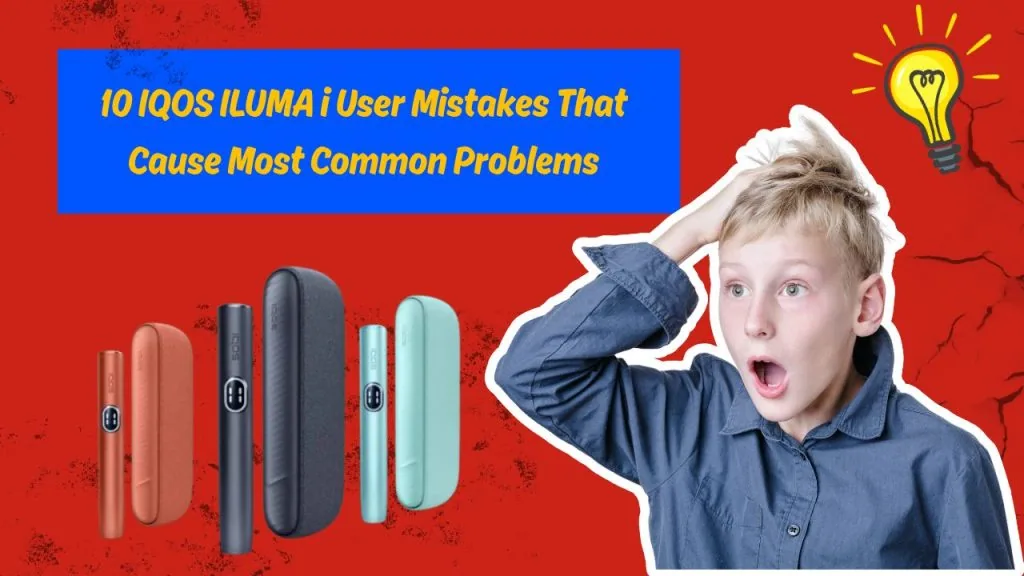
The IQOS ILUMA i has changed what UAE users expect from a heat-not-burn device. Its Smartcore Induction System™ heats tobacco from inside the TEREA stick without a blade, without combustion, and without ash. Add FlexPuff™ technology, Auto Start, Pause Mode, and a responsive touchscreen, and you have a device built for a genuinely consistent experience one that rewards users who treat it properly.
But here is what most people overlook: a large share of the IQOS ILUMA i problems reported daily across Dubai, Abu Dhabi, Sharjah, Ajman, Ras Al Khaimah, Fujairah, Al Ain, and Umm Al Quwain are not hardware defects. They are the result of common IQOS ILUMA i user mistakes habits that seem harmless but quietly damage performance, shorten battery life, and ruin flavor quality over weeks and months.
Avoiding these mistakes directly improves device lifespan, heating consistency, flavor quality, battery performance, and overall reliability. The ten mistakes below cover everything that goes wrong most often and exactly how to fix each one before it becomes a bigger problem.
Mistake #1: Using Non-TEREA Sticks in the IQOS ILUMA i
Why This Happens
Users switching from older IQOS models the 2.4 Plus, IQOS 3, or IQOS 3 DUO often have leftover HEETS packs when they upgrade. The sticks are physically similar in size, the packaging design is comparable, and nothing obvious on the box warns against using them in an ILUMA device. Some users also simply buy the wrong product from informal sellers who do not explain the difference between HEETS and TEREA. The confusion is understandable, but the consequences are real and immediate.
Problems It Causes
The IQOS ILUMA i works exclusively through induction heating. It generates a magnetic field that activates a metal susceptor element sealed inside every genuine TEREA Smartcore stick. HEETS contain no such element. When you insert a HEETS stick, the device has nothing to react with, it either refuses to start, triggers an error indicator, or attempts a heating cycle that produces no aerosol. Repeatedly inserting incompatible sticks risks contaminating the induction sensor and causing chamber damage that is not covered under warranty.
- Device won’t start or respond
- Heating failure with no aerosol produced
- Error indicator lights triggered
- Possible long-term chamber sensor damage
- Poor tobacco experience even if a partial session occurs
How to Avoid It
Use only genuine TEREA Smartcore sticks, they are the only tobacco sticks compatible with the IQOS ILUMA i family. Before purchasing, look for the “TEREA” branding and “SMARTCORE STICK” text on the pack. Buy from trusted UAE retailers or verified online platforms to ensure you receive the correct, authentic product every time.
Mistake #2: Inserting the TEREA Stick Too Forcefully
Common User Habit
This mistake comes directly from cigarette-handling muscle memory. Users who switched from cigarettes are accustomed to tapping packs, pressing filters, and generally handling tobacco with a certain physical confidence. That translates into pushing TEREA sticks down aggressively, twisting them during insertion, or forcing sticks that feel misaligned. None of these actions help, all of them cause problems.
Problems It Causes
The TEREA stick’s internal susceptor element must sit at a precise position within the induction field for heating to work correctly. When a stick is jammed in at an angle, bent during insertion, or pushed past the natural stopping point, the heating geometry is disrupted. Sessions become uneven, vapor output drops, and removing the stick afterward becomes difficult. In worse cases, the damaged tobacco collapses inside the chamber and leaves residue that affects the next session.
- Bent or structurally compromised tobacco stick
- Improper induction heating uneven temperature distribution
- Loose fit and reduced vapor production
- Difficult stick removal after the session
The Correct Way to Insert
Hold the ILUMA i upright and slide the TEREA stick straight down into the chamber with no pressure and no twist. Stop the moment you feel slight resistance that is the correct seated position. The device’s Auto Start will detect the stick and begin the heating sequence automatically. If insertion feels difficult at any point, stop and check whether the chamber needs cleaning rather than pushing harder.
Mistake #3: Ignoring Regular Cleaning
Why Users Skip Cleaning
The bladeless design was marketed as a low-maintenance breakthrough and it genuinely is, compared to older IQOS models that required regular blade cleaning after every few sessions. Many users took “less maintenance” to mean “no maintenance.” That misunderstanding is responsible for a significant number of IQOS ILUMA i maintenance issues that could have been prevented with a quick weekly clean.
What Actually Builds Up
Even without a blade, the ILUMA i holder accumulates material over time. Tobacco particles work their way into the airflow path. Condensation residue coats interior surfaces. Pocket lint and dust particularly relevant in the UAE’s dusty outdoor environment gather around the air inlets and charging contacts. In coastal cities like Dubai and Abu Dhabi, salt particles in the air accelerate buildup on contact points faster than most users expect.
- Tobacco particles restricting airflow
- Dust and pocket lint around air inlets
- Condensation residue on interior surfaces
- Salt air deposits on charging contacts (coastal UAE areas)
Problems It Causes
Accumulated residue directly affects every aspect of performance. Airflow weakens, which changes draw resistance and flavor intensity. Heating becomes inconsistent as the induction field interacts with debris rather than the stick alone. TEREA sticks begin to feel tighter on insertion. Left long enough, the device may display warning indicators or shorten sessions to protect internal components.
Proper Cleaning Routine
Clean the chamber weekly using the official IQOS cleaning stick or a dry cotton swab. Wipe the exterior and charging contacts with a dry cloth. Keep the cap closed when carrying the device in a bag or pocket. Never use water, alcohol-soaked materials, or sharp objects inside the chamber, these damage the induction sensor and void the warranty.
Mistake #4: Charging the Device Incorrectly
Common Charging Mistakes
The ILUMA i uses USB-C, which is widely available and that accessibility is part of the problem. Users reach for any cable nearby, often an unbranded option picked up from a market stall in Deira or a budget shop across Sharjah. These cables frequently deliver inconsistent wattage. Others unplug the device at 70–80% charge repeatedly, charge from laptop USB ports instead of wall adapters, or plug in immediately after a hot outdoor session without letting the device cool first.
Symptoms of Incorrect Charging
- Noticeably slow charging that takes much longer than expected
- Battery drains faster than it did when the device was new
- Charging interruptions, the LED cycles on and off during charging
- Flashing LED errors that suggest a connection problem
Best Practices for UAE Users
Use the original USB-C cable that came with the device, or a quality certified replacement. Always charge from a wall adapter, laptop and computer USB ports deliver inconsistent power that disrupts charging cycles. Keep the charging port clear of dust and lint, which accumulates quickly in UAE environments. Allow complete charging cycles rather than short top-ups. If the device has been exposed to summer heat, let it return to room temperature before plugging in, charging a hot battery accelerates degradation.
Mistake #5: Storing the Device in UAE Heat
Why This Is a Major Issue in the UAE
Car interiors in Dubai, Abu Dhabi, Sharjah, and across the UAE regularly exceed 60°C–70°C during summer months. The IQOS ILUMA i is rated to operate between 0°C and 40°C. Leaving the device on a car dashboard, in a beach bag under direct sun at Jumeirah Beach or the Corniche, or in a pocket during outdoor work in the midday heat all expose it to temperatures that the internal components particularly the battery are not designed to handle repeatedly.
Problems Heat Can Cause
- Permanent battery degradation, lithium-ion cells lose capacity with each heat exposure
- Touchscreen malfunction or unresponsiveness
- Thermal protection mode activation, the device stops working until it cools
- Reduced session quality as internal electronics operate outside normal range
- Shorter battery lifespan overall, with fewer sessions per charge within 6–12 months
Storage Tips for UAE Conditions
Store the device below 30°C at all times. Never leave it inside a parked vehicle, the glove compartment reaches dangerous temperatures in summer, but the dashboard and seat are worse. Use a heat-insulating protective case when carrying the device outdoors. At the beach, keep it inside a bag in the shade or in a small cooler bag. If the device feels warm when picked up, allow 15–20 minutes in an air-conditioned space before use.
Mistake #6: Removing the TEREA Stick Before the Session Ends
Why Users Do It
Some users pull the TEREA stick partway through a session because they assume the experience is winding down. Others want to save what remains of the tobacco for a second use. Some are simply curious about what the stick looks like after partial heating. Whatever the reason, removing the stick before the session completes is a habit that wastes tobacco and disrupts device performance in ways that compound over time.
Possible Issues
- The heating cycle is interrupted before completion, the tobacco never reaches its full flavor expression
- Partially heated tobacco loses structural integrity and cannot be reused effectively
- Incomplete flavor delivery the session tastes flat compared to a full cycle
- Debris from the disturbed stick can remain in the chamber
- Less satisfying experience overall, which some users misattribute to device failure
Correct Practice
Wait for the final vibration pattern that the ILUMA i uses to signal session completion. Once you feel it, the session is genuinely finished and the stick can be removed and disposed of. If you need to pause mid-session, use the Pause Mode feature, it was designed precisely for this situation and does not interrupt the heating cycle the way early stick removal does.
Mistake #7: Blocking the Airflow While Using the Device
Common Causes
This mistake is almost invisible to the user committing it. The ILUMA i has ventilation openings that allow cool air to mix with the heated aerosol during each puff. Users who grip the device the way they held cigarettes, with fingers wrapped around the body naturally cover these vents. Others press the device against their palm while drawing. The grip feels comfortable and completely normal, which is why so many users never realise it is the source of their draw and vapor complaints.
Symptoms
- Noticeably hard draw much more resistance than expected
- Weak aerosol that does not feel satisfying
- Uneven heating some puffs stronger, some weaker
- Poor flavor that seems flat or harsh
Proper Grip
Hold the ILUMA i loosely between thumb and forefinger, toward the upper portion of the device body. Keep fingers away from the ventilation area near the cap. Think of how you would hold a stylus or a marker light contact, not a closed grip. This single adjustment resolves most draw resistance and weak vapor complaints without any cleaning or settings changes required.
Mistake #8: Ignoring Firmware Updates
Why Firmware Matters
The IQOS ILUMA i is not just a heating element, it runs on firmware that controls the heating algorithm, battery management, FlexPuff™ calibration, Pause Mode behavior, touchscreen responsiveness, and session timing. Philip Morris releases updates that address performance inconsistencies, fix known bugs, and improve battery optimization. Running outdated firmware is running a version of the device that has already been improved for other users.
Problems When the Firmware Is Not Updated
- Software glitches that mimic hardware failures sessions ending early, heating delays
- Unexpected errors and unfamiliar LED patterns
- Reduced efficiency in battery use and heating cycles
- Missing new features or performance improvements that newer firmware delivers
How to Update in the UAE
Connect the IQOS ILUMA i to the official IQOS app, available on iOS and Android. Navigate to the device settings within the app and check for available updates. Ensure the device has at least 50% battery before starting and keep it connected throughout the update process. If the app is unavailable in your region’s store, the official IQOS UAE website provides alternative update instructions for all ILUMA i models.
Mistake #9: Using Fake or Counterfeit TEREA Sticks
Why Counterfeit Products Are Risky
Counterfeit TEREA sticks are a well-documented issue in the UAE market. They move through informal channels WhatsApp groups, unlicensed shops in older commercial areas, and social media listings offering “imported TEREA at half price.” The packaging is designed to closely resemble genuine product, but the internal construction is fundamentally different. Inferior tobacco, poor structural quality, and incorrectly manufactured or absent susceptor elements mean the device has nothing reliable to heat.
Problems They Cause
- Weak, flat, or unpleasant flavor from inconsistent heating
- Device errors as the induction coil searches repeatedly for a susceptor response
- Stick jams from inferior structural quality, the stick crumbles inside the chamber
- Poor vapor production regardless of device condition
- Possible long-term device damage from repeated strain on the induction coil
Buying Safely in the UAE
Purchase TEREA sticks only from licensed UAE retailers or verified online platforms. Genuine packaging has sharp, consistent print quality and a clearly embossed TEREA logo, counterfeit packs show blurred edges and inconsistent font weight on close inspection. Prices significantly below the standard UAE retail rate are the single most reliable warning sign. The full authentic range, including TEREA Indonesian, TEREA Italy, TEREA Kazakhstan, and TEREA Japan is available from Terea Pro with verified sourcing.
Mistake #10: Ignoring Early Warning Signs
Warning Signs Users Often Ignore
The IQOS ILUMA i is designed to communicate when something is wrong. Most users who end up at a service center, or needing a device replacement, had noticed early signs weeks before the problem became serious. They dismissed the signals as temporary, planned to deal with them later, or did not recognise them as warning signs at all.
- Sessions consistently shorter than the standard 14 puffs or 6 minutes
- Battery draining unusually fast, fewer charges lasting through a normal day
- Weak vapor with no obvious cause like a dirty chamber or airflow issue
- LED lights flashing in patterns not described in the user manual
- Touchscreen delays, inputs registering slowly or in the wrong location
- TEREA sticks harder to insert than they used to be
Why Acting Early Matters
Early-stage issues are almost always fixable at home a clean, a full recharge, a firmware update, or a soft restart resolves the majority of them. Left unaddressed, the same issues escalate into hardware-level problems that require professional service or device replacement. Acting on warning signs within a day or two of noticing them prevents costly repairs, extends device life, and keeps performance consistent throughout the device’s lifespan.
Recommended Actions
- Clean the chamber thoroughly with the official cleaning stick
- Recharge fully using a quality cable and wall adapter
- Try a fresh pack of genuine TEREA sticks to rule out stick quality
- Perform a soft restart hold the button for 10 seconds until the lights cycle
- Update firmware through the IQOS app if an update is available
- Contact IQOS UAE support or visit an authorized service point if issues persist
Quick Troubleshooting Checklist
Work through the relevant section below before concluding there is a hardware fault. The majority of IQOS ILUMA i troubleshooting situations resolve at one of these steps.
| Problem | Check These First |
|---|---|
| Device Doesn’t Heat | Battery charged? → Genuine TEREA inserted? → Stick inserted correctly, no twist? → Chamber clean? → Soft restart attempted? |
| Weak Vapor | Fresh TEREA stick from new pack? → Airflow blocked by grip? → Chamber cleaned recently? → Session completed normally (final vibration)? → Device overheated? |
| Charging Problems | USB-C cable quality confirmed? → Charging port free of dust? → Using wall adapter (not laptop)? → Device cooled to room temp before charging? |
| Stick Doesn’t Fit Smoothly | Chamber clean and clear of debris? → Stick undamaged and from new pack? → Correct TEREA product (not HEETS)? → Inserting straight with no twist? |
Daily Habits That Keep Your IQOS ILUMA i Working Like New
Daily
- Store the device indoors below 30°C never in a parked vehicle
- Close the cap after each session to keep dust and sand out of the chamber
- Keep the device dry avoid bringing it into humid environments like steam rooms
- Avoid dropping the device; the induction coil and touchscreen components are sensitive to impact
- Check battery level and charge if below 20% to prevent deep discharge
Weekly
- Clean the holder chamber using the official IQOS cleaning stick or a dry cotton swab
- Wipe charging contacts with a dry cloth to remove oxidation and dust
- Inspect the charging port for lint accumulation UAE dust environments clog ports faster than most climates
Monthly
- Check for firmware updates via the official IQOS app
- Inspect the device exterior for physical damage, a loose cap, or cracked seams
- Review which TEREA variants you use, if flavor has changed, the issue may be a new batch from a different origin, not the device. Browse options like TEREA Bronze, TEREA Amber, TEREA Sienna, or TEREA Turquoise to find a consistent option.
- Consider whether your device model still suits your usage the IQOS ILUMA i One, IQOS ILUMA i Standard, and IQOS ILUMA i Prime serve different usage patterns
Frequently Asked Questions
Does the IQOS ILUMA i need cleaning even though it’s bladeless?
Yes. The bladeless design reduces how much residue accumulates, but tobacco particles, dust, condensation, and lint still build up over time especially given UAE’s dusty outdoor environment. A weekly clean prevents the vast majority of airflow and flavor problems.
Can using fake TEREA sticks damage my IQOS ILUMA i?
Yes. Counterfeit sticks with absent or faulty susceptor elements force the induction coil to cycle repeatedly searching for a response. Over many sessions, this places measurable strain on the coil and leaves more debris in the chamber, increasing sensor contamination risk. Beyond device damage, counterfeit tobacco poses unknown health risks due to unverified manufacturing standards.
Why does my IQOS ILUMA i stop heating unexpectedly?
The three most common causes are overheating from consecutive sessions in UAE ambient heat, a low battery that cannot sustain the full heating curve, and a software glitch that a firmware update or soft restart resolves. If the issue continues after addressing all three, an internal component inspection may be necessary.
Is it okay to leave my IQOS ILUMA i charging overnight?
Occasionally, this will not cause immediate damage. As a regular habit, it is not recommended. Lithium-ion batteries degrade faster when kept at 100% charge for extended periods. Charge when needed, aim for a complete cycle, and disconnect once full.
Can UAE summer temperatures affect battery life?
Yes, and the damage is permanent. Repeated exposure to temperatures above 40°C degrades battery cells in a cumulative way that cannot be reversed. Users who regularly leave the device in parked cars during summer typically notice shorter session counts per charge within 6 to 12 months of that habit.
Why is my IQOS ILUMA i producing less vapor than before?
The three most likely causes are a dirty chamber restricting airflow, a degraded battery delivering insufficient power to the induction coil, and stale or counterfeit TEREA sticks. Start by cleaning the chamber, trying a fresh pack of genuine TEREA, and charging the device fully. If weak vapor persists, a firmware update or device inspection is the next step.
How often should I clean my IQOS ILUMA i?
The holder chamber should be cleaned weekly under normal UAE usage conditions. Users who take the device outdoors frequently, carry it in open bags, or live near the coast should clean more often at least every four to five days because of dust and salt air exposure.
When should I replace my IQOS ILUMA i instead of repairing it?
Consider replacement when the battery no longer holds enough charge for ten consecutive sessions despite proper maintenance; when the induction coil fails to heat consistently with verified genuine TEREA sticks after cleaning and a reset; or when the cost of authorized repair approaches the price of a new unit. For minor issues software glitches, port cleaning, cable replacement self-maintenance or a single service visit is almost always the better option.
Conclusion
The overwhelming majority of IQOS ILUMA i problems are not manufacturing defects. They are the product of everyday habits ,wrong stick type, aggressive insertion, skipped cleaning, budget charging cables, a device left on a July dashboard in Dubai, and warning signs dismissed as temporary. Every issue covered in this guide is either preventable or fixable with steps that take minutes, not days.
Using genuine TEREA sticks from verified UAE retailers, inserting them correctly, cleaning the chamber weekly, charging with a quality cable from a wall adapter, protecting the device from the UAE’s extreme summer heat, and responding to early warning signs rather than ignoring them, these habits are all it takes to maintain consistent flavor, reliable heating, strong battery performance, and a device that works as intended for the long term.
For genuine TEREA sticks across all origins and the full IQOS ILUMA i device range, visit the Terea Flavors Online shop delivering across Dubai, Abu Dhabi, Sharjah, and the wider UAE.