New to IQOS ILUMA i? It’s designed to be simple: no blade, no cleaning, and no complicated setup. Here’s how to use it from unboxing to your first session.
Before your first use
- Charge the pocket charger fully via USB-C.
- If you have a two-piece device (Standard or Prime), charge the holder inside the pocket charger.
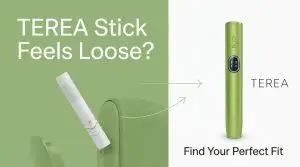
- Have a pack of TEREA sticks ready — only TEREA works with ILUMA i.
How to use IQOS ILUMA i step by step
- Insert a TEREA stick into the holder until the line on the stick reaches the top.
- Start the session — the device auto-detects the stick and begins heating; watch for the ready signal.
- Enjoy up to ~14 puffs or 6 minutes; FlexPuff extends the session slightly if you draw actively near the end.
- Remove the used stick straight up when the session ends — no need to twist or clean.
- Recharge the holder in the pocket charger between sessions.
Care tips
- No blade cleaning is required — SMARTCORE Induction heats the stick from the inside.
- Keep the device dry and store TEREA sticks in a cool, dry place.
- If lights signal an issue, a simple reset usually fixes it (see our light-signals guide).
Frequently asked questions
Do I need to clean the IQOS ILUMA i?
No. Because there is no heating blade, ILUMA i requires no cleaning between sessions.
How many puffs does one TEREA stick give?
About 14 puffs or 6 minutes, with FlexPuff extending the session slightly if needed.
Can I use HEETS with ILUMA i?
No — ILUMA i works only with TEREA sticks, not blade-based HEETS.
Reviewed and updated: August 2026 by the TEREA Pro team.