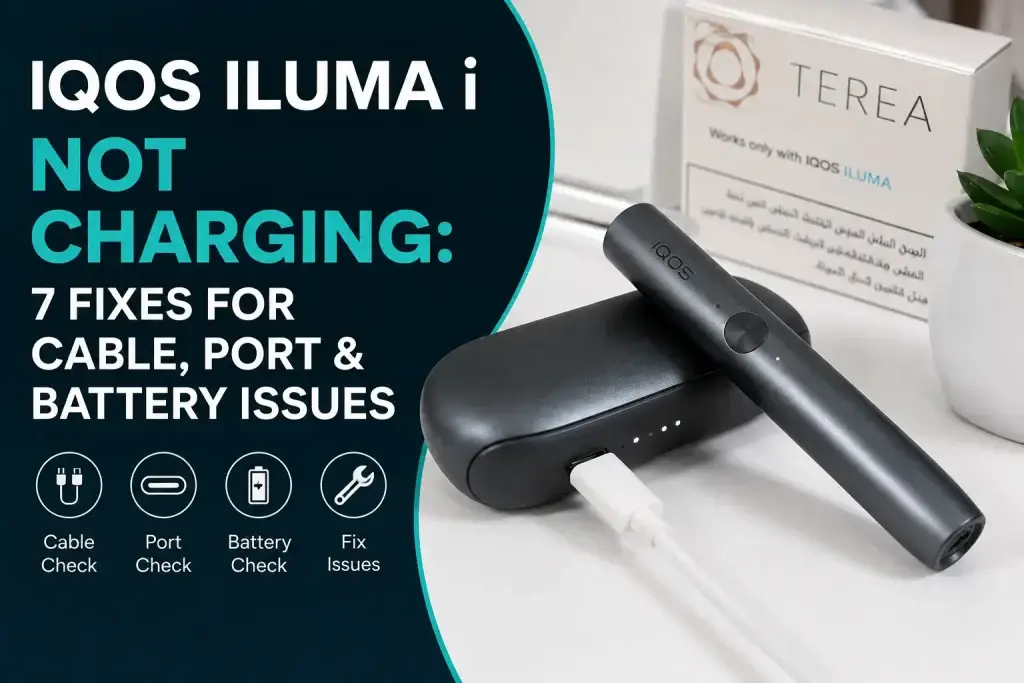
The IQOS ILUMA i may stop charging because of cable, port, contact, heat, or battery problems. Customers often worry when their device shows no charging signs.This problem can feel frustrating, especially when the battery runs low. The good news is that many ILUMA i charging issues have simple causes.This guide shares practical checks from years of experience with IQOS ILUMA i devices. The steps also follow current Dubai guidance from IQOS. You will learn seven simple fixes for common charging problems. The guide also explains charging times, lights, heat, warranty, and UAE support. Customers can also use these steps as an ILUMA i device care guide.
Why Is My IQOS ILUMA i Not Charging?
The IQOS ILUMA i may not charge because its power source, port, contacts, or battery has an issue. Customers often see no lights or slow charging first. This problem can also come from a damaged cable or adapter. The device may also struggle after long periods without use. The charging port needs clean and dry contact for steady power.The Holder also needs proper contact inside the Pocket Charger. This simple check can solve many common charging problems.
Common Signs of an IQOS ILUMA i Charging Problem
| Sign | What you’ll notice |
|---|---|
| No lights | Neither the Holder nor the Pocket Charger shows any indicator lights when connected. |
| Slow charging | The Holder takes much longer than usual to reach a full charge. |
| Holder stays low | The Holder’s charge level stays low even after sitting in the Pocket Charger. |
| Lights fail to appear | Expected charging lights don’t turn on at all during use. |
| Very little Pocket Charger battery | The Pocket Charger itself shows only a small amount of charge remaining. |
| Holder won’t charge inside charger | The Holder fails to charge even while seated properly inside the Pocket Charger. |
What Causes IQOS ILUMA i Charging Issues?
Common causes include damaged cables, poor power, dirt, heat, and battery problems. Customers can also face charging issues from incompatible charging equipment. This problem may appear when the device gets too hot or cold. The recommended operating range is 0°C to 40°C. The charging connection should stay clean and dry. Customers should avoid liquid near the charging parts. The company recommends compatible charging equipment for the device.
New to IQOS ILUMA i? This beginner-friendly guide walks you through setup, charging, inserting TEREA sticks, starting a session, and using the device correctly from the first use.
How to Identify the Charging Problem
You can identify the problem by checking the power source, port, Holder, and Pocket Charger. Customers should test one part at a time. This method makes the cause easier to find. The first check should focus on the power source. The Pocket Charger can charge with or without the Holder inserted. Customers can also check its battery level using the charger button. This helps separate charger problems from Holder problems.
Is the Problem With the Cable, Adapter, Port, Holder, or Pocket Charger?
The faulty part may be the cable, adapter, charging port, Holder, or Pocket Charger. Customers should first connect the charger to a wall outlet. The wall outlet helps rule out laptop power limits. This test gives a clearer result. The charging port should look clean and dry. Customers should also inspect the Holder charging contacts. The Holder must sit correctly inside the Pocket Charger.
Is the IQOS ILUMA i Charging Slowly or Not Charging at All?
Slow charging usually points to a weak power source, poor contact, temperature, or battery issue. Customers should compare the charging time with normal device behavior. The full Pocket Charger charge takes about 135 minutes. This timing applies when using compatible charging equipment. The Holder can need extra time after long inactivity. Customers may need to allow up to 10 minutes for the Holder to fully charge after first use or a long period of inactivity. This is normal according to IQOS UAE.
What If the IQOS ILUMA i Shows No Charging Lights?
No charging lights can mean a depleted battery, power issue, or device problem. Customers should connect the Pocket Charger to a wall outlet first. This test checks whether the charger receives power. The device may need several moments before showing activity. The official UAE guide notes that a fully discharged device may take a few seconds before the first light starts blinking yellow. Customers should avoid assuming the device has failed immediately. The company also recommends checking the charging setup first.
7 Fixes for an IQOS ILUMA i That Won’t Charge
These seven fixes cover common cable, port, contact, battery, and reset problems. Customers should follow them in order. This approach avoids unnecessary replacement costs. The steps also help identify hardware problems. The device should stay dry during every check. Customers should stop if they see physical damage or liquid exposure. This keeps troubleshooting safer.
Fix 1: Use a Compatible 5V/2A USB-C Power Adapter and Cable
A compatible 5V/2A Type-C adapter and cable provide the recommended charging setup. Customers should avoid damaged or clearly incompatible charging equipment. The official UAE guide specifies a 5V, 2A, Type-C output adapter. The guide also recommends a C-type charging cable. The company recommends charging from an electrical wall outlet. Customers can use this test to rule out laptop charging problems. This simple change often identifies a power-source issue.
Fix 2: Try a Working Wall Outlet
A known working wall outlet can rule out a faulty power source. Customers should unplug the charger from the current outlet. They should then try another working outlet nearby. This test takes only a moment. The Pocket Charger should remain connected during the test. Customers should watch for charging lights after connecting power. This helps confirm whether electricity reaches the charger.
Fix 3: Check and Clean the USB-C Charging Port
A dirty USB-C charging port can prevent a stable charging connection. Customers should inspect the port for visible dust or debris. The charging connection should remain clean and dry. Customers should avoid pushing objects deep into the port. This problem often appears after regular pocket or bag use. Customers should handle the port gently during inspection. The device should receive professional service if the port looks damaged.
Fix 4: Clean the Holder and Pocket Charger Charging Contacts
Clean charging contacts help the Holder connect properly with the Pocket Charger. Customers should check the contact areas for dust or dirt. The surfaces should remain dry before charging. Customers should avoid using liquids on the charging contacts. The Holder should connect smoothly inside the Pocket Charger. Customers should check for visible damage before continuing.
Fix 5: Make Sure the Holder Is Properly Seated in the Pocket Charger
The Holder must sit correctly inside the Pocket Charger before it can charge properly. Customers should place the Holder fully inside the Pocket Charger. The Holder should remain securely positioned during charging. This simple step can solve a connection problem. The official charging guide says to insert the Holder into the Pocket Charger and close the Wrap while charging. The Holder Status Light shows its battery level.
Fix 6: Allow Time for a Completely Depleted Battery
A completely depleted battery may need several minutes before charging activity appears. Customers should connect the Pocket Charger to a wall outlet. The device may not show charging signs immediately. This delay can happen after long inactivity. The Holder may take up to 10 minutes to fully charge after first use or a long period of inactivity. Customers should allow this time before judging the device. This behavior can occur after long periods without use.
Fix 7: Reset the IQOS ILUMA i
A reset can help resolve some device operating issues that affect charging behavior. Customers should place the Holder inside the Pocket Charger first. They should then hold the Pocket Charger button for 10 seconds. The status lights should turn off and blink twice. The lights then turn on again to confirm the reset. Customers should try charging again after the reset. The official UAE reset guide confirms this procedure.
Using an IQOS ILUMA i incorrectly can lead to avoidable issues with charging, TEREA stick insertion, device performance, and everyday use. Here are the common user mistakes to avoid so your device works as intended.
How Long Does an IQOS ILUMA i Take to Charge?
How Long Does an IQOS ILUMA i Take to Charge?
The IQOS ILUMA i Pocket Charger takes approximately 135 minutes (2 hours 15 minutes) to fully charge using a compatible AC Power Adaptor and USB-C charging cable. The Pocket Charger does not need to be fully charged before it can be used, although IQOS recommends fully charging it before first use.
Charging times differ across the IQOS ILUMA i lineup:
- IQOS ILUMA i PRIME: The Pocket Charger takes approximately 135 minutes for a full charge. The Holder can take up to 10 minutes to fully charge for the first time or after a long period of inactivity.
- IQOS ILUMA i: The Pocket Charger also takes approximately 135 minutes for a full charge, while the Holder can take up to 10 minutes for its first charge or after extended inactivity.
- IQOS ILUMA i ONE: Because it has a built-in battery rather than a separate Pocket Charger, a full charge takes approximately 90 minutes with a compatible AC Power Adaptor and USB-C cable.
How Long Does the Holder Take to Charge?
- Can take up to 10 minutes to fully charge after first use or long inactivity
- Place the Holder inside the Pocket Charger
- Close the Wrap during Holder charging
- The Holder Status Light shows its battery level
- The delay can occur during first use or after long inactivity
- Don’t treat this short delay as a fault
- The official UAE guide confirms this behavior
How to Tell If Your IQOS ILUMA i Is Charging Too Slowly
Charging may be unusually slow when power, contact, temperature, or battery problems exist. Customers should first test another wall outlet. They should also check the cable and adapter. This test removes common power problems. The device should also stay within its recommended temperature range. Customers should allow a hot device to cool naturally. Persistent slow charging may need professional support.
Understanding IQOS ILUMA i Charging Light Signals
Charging lights help customers understand battery status and charging activity. Customers should watch the lights during a charging test. This information can help identify a depleted battery. The Pocket Charger button also helps check battery level. The official guide says a fully discharged device may show delayed light activity. Customers should allow some charging time before judging the result, especially before loading TEREA sticks after long inactivity.
What Does a Yellow Charging Light Mean?
A yellow charging light can appear while a fully discharged Pocket Charger starts charging. Customers may see yellow blinking during early charging. The official UAE guide states that the first light may take a few seconds to start blinking yellow when the device is fully discharged. Once the Pocket Charger goes above 7% charge, the blinking light changes from yellow to white. The yellow light does not always mean a hardware fault. Customers should first allow the charger to receive power. This helps avoid unnecessary service requests.
What Does a White Charging Light Mean?
A white charging light can indicate charging activity or battery status, depending on the device state. Customers should watch the light after connecting the charger. During charging, the Pocket Charger strip lights pulse. The official guide also states that the blinking light changes from yellow to white after the Pocket Charger exceeds 7% charge. The exact light behavior depends on the device state. Customers should use the official UAE guide for specific light meanings. This avoids guessing from another ILUMA model.
What Do Flashing Lights Indicate?
Flashing lights can indicate charging activity or battery status, depending on the light color and pattern. Customers should check when the lights flash. They should note whether the charger connects to power. This detail helps narrow the problem. The Pocket Charger also uses lights to show battery status. Customers can press and release its button to check charge. The official guide recommends this battery check.
What Does It Mean When No Charging Light Appears?
No light may indicate deep discharge, no power, poor contact, or a device fault. Customers should first test the wall outlet and cable. They should then check the charging port and contacts. This sequence rules out simple causes. The device may need several moments after full discharge. Customers should allow time before trying another reset. Persistent no-light behavior can require IQOS support.
Charging Your IQOS ILUMA i Safely in the UAE
UAE heat can affect device operation, so customers should charge within the recommended temperature range. Customers should keep the device away from direct sunlight. The recommended operating range is 0°C to 40°C, whether customers own ILUMA i Prime or the i Standard. Temperatures outside that range can affect operation. The device should cool naturally if it feels very hot. Customers should avoid charging it in direct heat, regardless of whether they use the i Prime or i Standard. This simple habit supports better long-term device care guide practices.
Use the Correct Power Adapter and USB-C Cable
Customers should use a compatible 5V/2A Type-C power adapter and USB-C cable. The official UAE charging guide lists this power specification. Customers should avoid damaged cables or unsuitable adapters. This helps provide a stable charging connection. The wall outlet can also provide a useful troubleshooting test. Customers should avoid relying on laptop USB power during diagnosis. This creates a clearer charging test.
Protect Your IQOS ILUMA i From Excessive UAE Heat
Customers should keep the IQOS ILUMA i away from excessive UAE heat. The device works within a recommended range of 0°C to 40°C. Customers should avoid leaving it inside hot cars. This also applies to direct sunlight. The device should cool naturally before further troubleshooting. Customers should avoid rapid cooling methods. This protects the device from sudden temperature changes.
Avoid Charging the Device in Direct Sunlight
Direct sunlight can raise device temperature and affect normal operation. Customers should choose a cool, dry charging location. The charging area should have normal room conditions. This keeps the device closer to its recommended range. The charging connection should also stay dry. Customers should keep the Pocket Charger away from liquids. These habits support safer everyday handling.
What If Your IQOS ILUMA i Still Won’t Charge?
Customers should seek service when basic charging checks and the reset fail. Customers should avoid opening the device themselves. They should also avoid unapproved repairs or modifications. Such actions can create more damage. The UAE warranty terms exclude certain damage caused by unauthorized repairs. Customers should check warranty coverage before paying for repairs. This can save money when a covered fault exists.
How to Tell Whether the Holder or Pocket Charger Is Faulty
Customers can compare Holder charging behavior with Pocket Charger charging behavior. The Pocket Charger can charge with or without the Holder inserted. Customers can test the charger separately from the Holder. This helps identify which part needs attention. The Holder should show charging activity when seated correctly. Customers should check its contacts and position first. Persistent failure can point to a hardware issue.
Signs of a Damaged Charging Port or Battery
Visible port damage, repeated charging failure, or sudden battery loss can signal hardware trouble. Customers should stop if the charging port looks broken. They should also stop after repeated failed charging attempts. This avoids making physical damage worse. The device should receive qualified service for internal faults. Customers should not open the Pocket Charger or Holder. The UAE warranty excludes certain damage from improper repairs. Battery performance can also decrease over time. Normal battery performance degradation from use is not treated as a manufacturing defect under the voluntary warranty.
When to Stop Troubleshooting the Device
- The official UAE site provides troubleshooting and service options
- Stop when safe checks cannot restore normal charging
- Stop after signs of liquid or physical damage
- Avoid forcing the cable into the port, as this prevents additional damage
- Next step should involve official IQOS support
- Customers can use UAE support or an IQOS store
IQOS ILUMA i Warranty and Support Options in the UAE
UAE customers can check warranty coverage and official support after troubleshooting fails. Customers should keep their purchase receipt when possible. The official UAE warranty covers qualifying manufacturing defects. The coverage applies to the Holder and Pocket Charger under its terms. The voluntary warranty does not cover the power adaptor or charging cable. Customers should check the current terms before seeking replacement. This step can prevent unexpected costs.
Check Your IQOS ILUMA i Warranty Eligibility
Registered IQOS ILUMA i devices can qualify for 24-month voluntary warranty coverage. The device must be registered within 30 days of purchase for the 24-month voluntary warranty. Customers may need proof of purchase. The warranty covers qualifying Holder and Pocket Charger defects. The standard UAE coverage starts from the purchase date. Customers should check their exact device records before claiming. Terms and exclusions apply to every warranty claim.
Device Registration and Proof of Purchase
Device registration can provide extended warranty benefits and support services. Customers should keep their purchase receipt safely. The company may request proof during a warranty claim. Registration can also support international assistance when eligible.mThe warranty page states that registration should occur within 30 days for the extended warranty. Customers should complete registration early when possible. This keeps support options easier to access.
IQOS Support and In-Person Service in Dubai
Dubai customers can seek in-person support through the IQOS Boutique at The Dubai Mall. Customers can contact IQOS before visiting for current service details. The official UAE warranty page identifies The Dubai Mall Boutique as a support option. This provides a local option when remote troubleshooting fails. The official UAE support team also handles device issues. Customers can use the available support channels for further help.for genuine device you Can visit our online store TEREA Pro or have any questions about IQOS ILUMA i? Ask us anytime we’re here to help.
IQOS Support Options Across the UAE
Customers across the UAE can use official IQOS support for charging problems. Customers can use phone, email, or available live-chat support. The official UAE support page provides current contact options. This helps customers avoid unofficial repair channels. The company also provides troubleshooting and store support. Customers in Abu Dhabi, Sharjah, Ajman, and other emirates can check availability. Local service options may vary by location and current availability.
Quick Final Check Before Seeking Support
Customers should confirm the cable, outlet, port, contacts, Holder position, battery, and reset first.The correct charger uses a compatible 5V/2A Type-C adapter. The full Pocket Charger charge takes about 135 minutes. The Holder may need up to 10 minutes to fully charge after first use or long inactivity. Customers should protect the device from excessive UAE heat. They should also keep charging parts clean and dry. If charging still fails, official UAE support is the safest next step.
Frequently Asked Questions
Why Is My IQOS ILUMA i Not Charging?
The IQOS ILUMA i may not charge because of cable, power, port, contact, heat, or battery issues. Customers should test the cable, wall outlet, charging port, and Holder contacts first. A reset may also help when basic checks do not work.
How Long Does an IQOS ILUMA i Take to Charge?
The IQOS ILUMA i Pocket Charger takes about 135 minutes for a full charge. Customers should use compatible charging equipment for the best results. The Holder may need up to 10 minutes after long inactivity before showing activity.
What Should I Do If My IQOS ILUMA i Shows No Light?
Customers should first connect the Pocket Charger to a working wall outlet. They should then check the cable, adapter, port, and charging contacts. A fully depleted battery may also need several minutes before showing activity.
Can Heat Affect IQOS ILUMA i Charging?
Yes, excessive heat can affect IQOS ILUMA i operation and charging. Customers should keep the device between 0°C and 40°C. They should also avoid direct sunlight and hot vehicles.
How Do I Reset My IQOS ILUMA i?
Customers can reset the device by placing the Holder inside the Pocket Charger. They should then hold the Pocket Charger button for 10 seconds. The lights should blink twice after the reset completes.
What Should I Do If My IQOS ILUMA i Still Won’t Charge?
Customers should contact official IQOS UAE support when basic troubleshooting fails. They should avoid opening the device or using unapproved repair methods. Customers can also check their warranty before paying for service.
Conclusion
Most IQOS ILUMA i charging problems start with the cable, power source, contacts, port, or battery. Customers should test each part before considering replacement. A reset can also solve some device issues. The Pocket Charger needs about 135 minutes for a full charge. Customers should protect the device from UAE heat and direct sunlight. They should also keep every charging connection clean and dry. Customers who still have problems should use official UAE support. They can check warranty eligibility before seeking paid service.