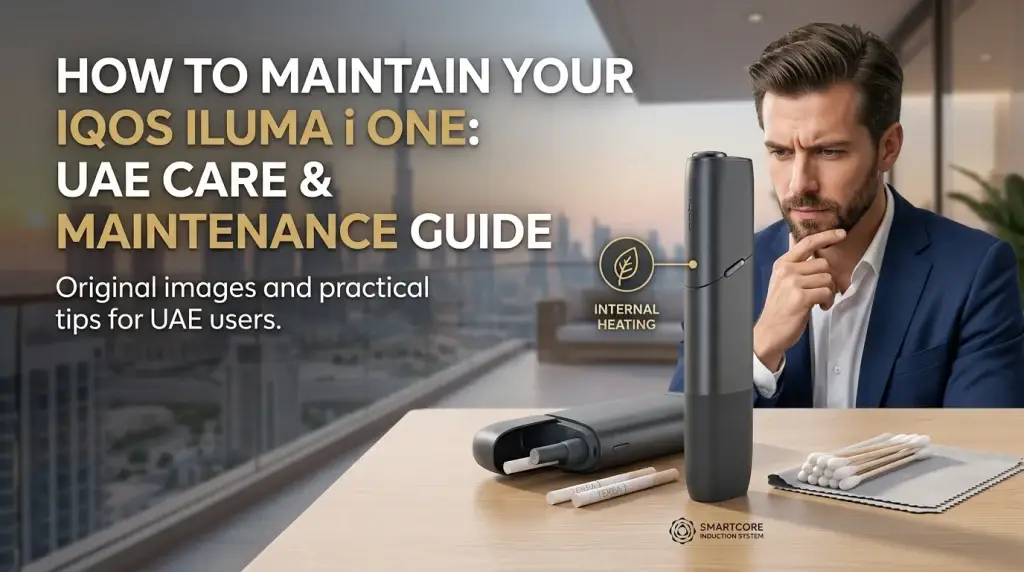
The IQOS ILUMA i ONE is designed for simple, everyday use, but basic care still matters. Keeping the device clean, dry and protected from excessive heat can help reduce common charging and operating problems. Unlike older IQOS devices that use a blade, the ILUMA i ONE uses induction technology with SMARTCORE STICKS such as TEREA. This means you do not need to follow the same cleaning routine used for older blade-based IQOS devices. For users in the UAE, where temperatures can become very high, proper storage and charging habits are also important.
Why Basic Maintenance Matters
Regular care does not mean taking the device apart or performing complicated cleaning. Most maintenance is simply about keeping the device and charging port clean and dry, using the correct SMARTCORE STICKS, and avoiding conditions that may affect normal operation. Good care can help reduce problems associated with dust, moisture, excessive heat and charging issues. IQOS troubleshooting guidance for the ILUMA i ONE specifically recommends checking that the charging ports on both the device and charging cable are dry and clean from contamination when the device is not charging properly.
How to Clean Your IQOS ILUMA i ONE
The ILUMA i ONE does not require the traditional blade cleaning routine used with older IQOS devices. However, you should still keep the outside of the device and its charging connections clean and dry.
1. Keep the Exterior Clean
Wipe the outside of the device with a clean, dry, soft cloth when necessary. Avoid using cleaning liquids, sprays or chemical cleaning products directly on the device. Do not pour or spray liquid onto the device, and do not submerge it in water.
2. Keep the Charging Port Dry and Clean
The USB charging port is particularly important because contamination or moisture can interfere with charging.
If the device is not charging:
- Unplug the device.
- Check that the charging port on the device is dry.
- Check that the charging cable is also clean and dry.
- Remove the device from any damp or contaminated environment before charging.
IQOS UAE specifically advises users to ensure that both the device charging port and cable are dry and clean from contamination. Do not insert random objects into the charging port.
3. Do Not Try to Clean an Internal Blade
The ILUMA i ONE does not use the traditional blade-heating system found in older IQOS generations. For this reason, avoid inserting cotton swabs, metal tools or other objects into the stick insertion area simply to clean it. If a TEREA stick breaks or becomes stuck inside the device, follow IQOS troubleshooting instructions rather than trying to dismantle the device yourself.
New to IQOS ILUMA i? This beginner-friendly guide explains how to use your IQOS ILUMA i with TEREA sticks, from charging and inserting a stick to starting your first session and understanding the device’s key features.
Charge ILUMA i One Device Correctly
Charging habits are another important part of basic maintenance. Use a compatible AC power adaptor and charging cable that meet IQOS requirements. IQOS UAE recommends a compatible adaptor and cable and states that a full charge for the ILUMA i ONE takes approximately 90 minutes.
Before charging:
- Place the device in a dry location.
- Check the charging port for contamination.
- Make sure the cable is clean and dry.
- Connect the device to a compatible power adaptor and cable.
- Allow approximately 90 minutes for a full charge when required.
Avoid charging the device while it is exposed to excessive heat or moisture.
What to Do If the Device Is Not Charging
If the lights are on but the device is not charging, IQOS UAE recommends first checking that the charging ports on both the device and cable are dry and clean. If the problem continues, charge it with a compatible AC power adaptor and cable for approximately 90 minutes. If it still does not charge, IQOS provides a reset procedure: press and hold the ON/OFF button for 10 seconds continuously.
If the problem remains after these steps, use the official IQOS diagnostic and support service rather than attempting to repair the device yourself.
A Simple IQOS ILUMA i ONE Maintenance Checklist
| Maintenance task | When to check |
|---|---|
| Check the exterior | Regularly |
| Check the USB port | Periodically |
| Keep the device dry | Every day |
| Avoid excessive heat | Every day |
| Check charging accessories | Before charging |
| Keep the cap closed | After use |
| Use a new TEREA stick | Every experience |
| Check for visible damage | Regularly |
You do not need an aggressive daily cleaning routine. Focus on keeping the device clean, dry, protected from heat, and correctly charged.
Confused by the red, white, or amber lights on your IQOS ILUMA i? Each light signal shows your device’s charging, battery, heating, or error status, helping you quickly understand what your ILUMA i is telling you during a TEREA session.
IQOS ILUMA i ONE and the ILUMA i Range Maintenance
The IQOS ILUMA i ONE is part of the IQOS ILUMA i range, alongside the IQOS ILUMA i Standard and IQOS ILUMA i PRIME. While these devices share induction-heating technology and use compatible SMARTCORE STICKS, the ILUMA i ONE has its own compact all-in-one design. For maintenance, the same basic principles apply: keep the device clean and dry, protect it from excessive heat, use compatible accessories, and follow the correct care instructions. This guide focuses specifically on maintaining the ILUMA i ONE for everyday use in the UAE.
Protect Your IQOS ILUMA i ONE From UAE Heat
Temperature is an important consideration for device care in the UAE. Official IQOS troubleshooting information for the ILUMA i range states an operating temperature range of 0°C to 40°C. Outside the appropriate temperature range, an experience may be interrupted or may not start. Because outdoor and parked-car temperatures in the UAE can become extremely high, avoid leaving your device in direct sunlight or inside a hot vehicle.
Practical UAE Storage Tips
- Do not leave the device on a car dashboard.
- Avoid storing it in a parked vehicle for long periods.
- Keep it away from direct sunlight.
- Avoid exposing it to excessive heat.
- Keep the device away from water and excessive moisture.
- If the device becomes unusually hot, allow it to return to a suitable temperature before using or charging it.
The goal is simple: keep the device within its recommended operating conditions and avoid unnecessary exposure to extreme environments.
Use the Correct TEREA SMARTCORE STICKS
The ILUMA i ONE is designed to work with compatible SMARTCORE STICKS. TEREA is specifically designed for IQOS ILUMA devices. TEREA sticks are single-use products. After an experience, remove the used stick and dispose of it appropriately. Do not reinsert a used TEREA stick. Do not use TEREA sticks with older IQOS devices that use blade heating. IQOS states that TEREA is not compatible with previous blade-generation devices, and using TEREA in those devices may damage the blade.
TEREA sticks contain a sharp metal component. IQOS advises users not to ingest or disassemble TEREA sticks and to keep them out of reach of children.
Common Maintenance Mistakes to Avoid
Some simple mistakes can create unnecessary problems.
- Leaving the Device in a Hot Car: High temperatures can take the device outside its recommended operating range. Keep it out of parked vehicles and direct sunlight whenever possible.
- Charging With a Wet or Contaminated Port: Moisture or contamination around the charging connection can interfere with charging. Always make sure the device and cable are dry and clean before charging.
- Using Incompatible Accessories: Use compatible charging accessories that meet IQOS requirements. Avoid unsuitable cables or power accessories.
- Inserting Objects Into the Device: Do not improvise with metal tools or other objects to clean the stick insertion area.
- Reusing a TEREA Stick: TEREA sticks are intended for single use. Do not put a used stick back into the device.
- Opening or Modifying the Device: Do not dismantle, modify or attempt an internal repair yourself. If the device continues to malfunction after the recommended troubleshooting steps, contact IQOS support.
When Basic Maintenance Is Not Enough
Cleaning and proper storage can help prevent avoidable problems, but they cannot fix every device issue. Contact IQOS support if you notice problems such as repeated charging failures, no response after charging, ongoing charging issues after checking the port and cable, repeated stops during use, persistent warning lights, a stuck TEREA stick, or visible physical damage.
Extra Care Tips for UAE Users
UAE conditions make a few simple habits especially useful.
- Avoid hot cars: A parked vehicle can become much hotter than the surrounding outdoor temperature.
- Protect the device from sunlight: Do not leave it exposed on a dashboard, table or other hot surface for extended periods.
- Keep charging connections dry: Before charging, check both the device port and cable.
- Do not charge in unsuitable conditions: Move the device to a dry, suitable environment before charging if it has been exposed to heat or moisture.
- Store TEREA correctly: Keep SMARTCORE STICKS in their closed pack and away from excessive moisture. Official IQOS guidance also notes that humid sticks can affect device energy use.
FAQ About IQOS ILUMA i ONE Maintenance
Does the IQOS ILUMA i ONE need regular cleaning?
The ILUMA i ONE does not require the same blade-cleaning routine as older IQOS devices. Basic care mainly involves keeping the exterior and charging connection clean and dry and following IQOS maintenance instructions.
Can I use water or cleaning liquid to clean my IQOS ILUMA i ONE?
It is better not to pour or spray liquids onto the device or use cleaning products directly on it. Keep the device and charging port dry and clean according to IQOS guidance.
Can I clean inside the stick insertion area?
Avoid inserting cotton swabs, metal tools or other objects into the stick insertion area to clean it. If you experience a problem with a TEREA stick or the device, follow the official IQOS troubleshooting instructions rather than attempting to dismantle the device.
Can I leave my IQOS ILUMA i ONE in a car in Dubai?
Avoid leaving the device in a parked car, especially in direct sunlight. High temperatures can take the device outside its recommended operating conditions. Store it somewhere protected from excessive heat and direct sunlight.
What temperature range is suitable for the IQOS ILUMA i ONE?
IQOS guidance for the ILUMA i range indicates an operating temperature range of 0°C to 40°C. If the device has been exposed to excessive heat or cold, allow it to return to a suitable temperature before use or charging.
How long does the IQOS ILUMA i ONE take to charge?
IQOS UAE troubleshooting guidance states that the ILUMA i ONE can take approximately 90 minutes to reach a full charge when using a compatible AC power adaptor and cable.
What should I do if my IQOS ILUMA i ONE is not charging?
First, unplug the device and check that the charging port on both the device and cable is clean and dry. Use a compatible AC power adaptor and cable and allow the device to charge for approximately 90 minutes. If the problem continues, IQOS UAE recommends resetting the device by holding the ON/OFF button for 10 seconds. If it still does not charge, use IQOS support or diagnostic services.
Can I use any USB-C cable to charge the device?
Use a compatible charging cable and power adaptor that meet IQOS requirements. Avoid unsuitable or damaged charging accessories.
Final Thoughts
Maintaining an IQOS ILUMA i ONE is relatively straightforward. The main habits are to keep the device clean and dry, protect it from excessive heat, use compatible charging accessories, and follow IQOS instructions when troubleshooting. There is no need to treat the ILUMA i ONE like an older blade-based IQOS device. Instead, focus on the areas that matter for this model: the exterior, charging connection, operating conditions and correct use of SMARTCORE STICKS. For UAE users, avoiding hot cars and direct sunlight is particularly practical. If the device develops a persistent charging or operating problem, use the official IQOS troubleshooting and diagnostic resources instead of attempting an internal repair. With these basic habits, you can keep your IQOS ILUMA i ONE in better condition and avoid many common maintenance mistakes.
TEREA contains nicotine, which is addictive, and IQOS states that its products are not risk-free. These products are intended for adults who would otherwise smoke or use nicotine products.