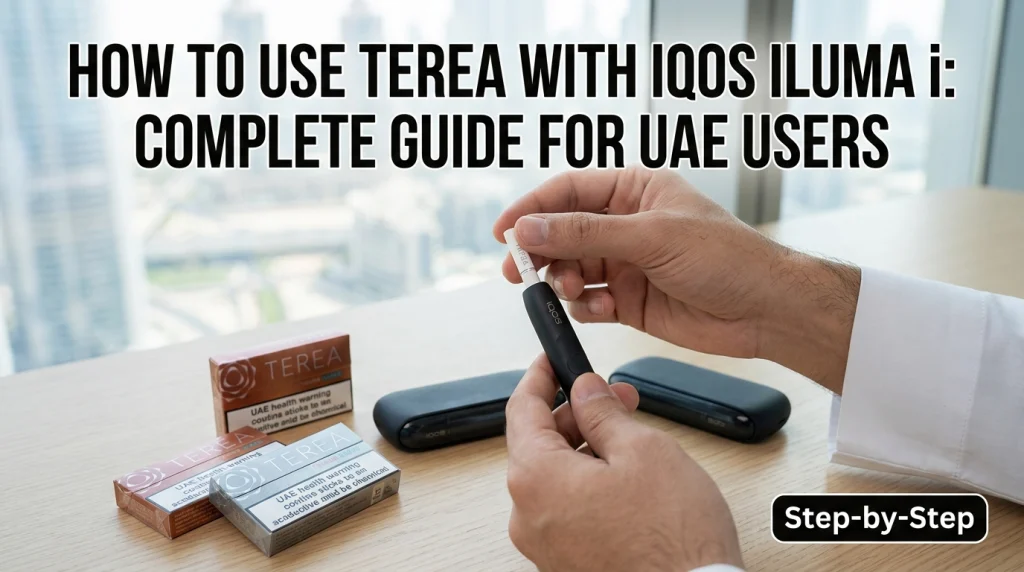
Using TEREA Sticks with an IQOS ILUMA i is straightforward once you know what each vibration, light, and Touch Screen signal means. Unlike older IQOS devices that use a heating blade, the ILUMA i range is designed for TEREA SMARTCORE STICKS and uses induction heating. If you are using an IQOS ILUMA i in the UAE for the first time, this guide explains the complete process from charging and inserting a TEREA stick to starting a session, understanding the countdown, using Pause Mode, and dealing with common problems.
Are TEREA Sticks Compatible with IQOS ILUMA i?
Yes. TEREA SMARTCORE STICKS are designed for the IQOS ILUMA i range. IQOS states that ILUMA i devices are designed to work only with SMARTCORE STICKS. HEETS are not compatible with ILUMA i because the device does not use the heating blade required by older IQOS systems. This distinction matters if you have upgraded from an older IQOS model. Do not assume that every IQOS tobacco stick works with every IQOS device.
| Stick | IQOS ILUMA i |
|---|---|
| TEREA SMARTCORE STICK | Compatible |
| HEETS | Not compatible |
| Other non-compatible sticks | Not designed for use |
Always check the device and stick packaging if you are unsure about compatibility.
Before Using TEREA with IQOS ILUMA i
Before starting your first session, check three things:
- Your ILUMA i has enough battery.
- You have a fresh TEREA SMARTCORE STICK.
- The device is within its operating temperature range.
IQOS states that ILUMA i devices are designed to operate between 0°C and 40°C. If the device is outside this range, an experience may not start or may be interrupted. This is particularly useful to remember in the UAE, where leaving an electronic device in a hot vehicle can expose it to conditions outside its recommended operating range.
How to Use TEREA Sticks with IQOS ILUMA i
The basic process is simple, but the signals from the ILUMA i make more sense when you know what to expect.
1. Check the Device Battery
Make sure your IQOS ILUMA i is charged before inserting TEREA. For the standard IQOS ILUMA i system, the Pocket Charger has status lights that show its charge level. IQOS recommends fully charging the Pocket Charger before first use. If the Holder has not been used for a long period, it may need additional charging before it is ready.
2. Take a Fresh TEREA Stick
Remove one TEREA SMARTCORE STICK from the pack. Do not cut, open, or modify the stick. Use it as supplied. TEREA is made specifically for the ILUMA heating system, so using the correct stick is important for the device to start properly.
3. Insert the TEREA Stick Correctly
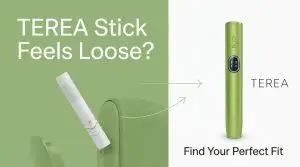
Insert the TEREA stick into the Holder up to the line on the filter. You should not need to force it. When the stick is inserted correctly, the Holder vibrates to indicate that it has detected the stick. If the device does not respond, check that you are using a TEREA SMARTCORE STICK and that it is inserted correctly.
4. Let AutoStart Begin Preheating
On IQOS ILUMA i, heating can start automatically after the TEREA stick is inserted. This is the AutoStart function. If you need to start the experience manually, IQOS states that you can swipe up across the Touch Screen. The screen then shows the preheating status. Preheating takes approximately 20 seconds.
5. Wait for the Second Vibration
Do not start immediately after inserting the stick. The first vibration indicates that the stick has been detected. During preheating, the Touch Screen displays the heating progress. When you feel the second vibration, the Holder is ready to use. This is one of the easiest parts of the ILUMA i process to understand:
Insert → first vibration → preheating → second vibration → ready.
6. Start Using the TEREA Stick
Once the second vibration signals that the Holder is ready, you can use the TEREA stick. The ILUMA i does not require you to operate a traditional heating blade. Its SMARTCORE induction system is designed around compatible SMARTCORE STICKS.
7. Watch the Touch Screen During the Session
One useful ILUMA i feature is the Countdown Light. During the experience, the Touch Screen indicates the remaining time. This gives you a clearer idea of where you are in the session instead of relying only on the taste or feel of the stick. Near the end, the Holder vibrates to indicate the last 30 seconds or last 2 puffs.
8. Remove the Used TEREA Stick
When the experience ends, remove the used TEREA SMARTCORE STICK. Dispose of it according to the safety instructions supplied with the product. Do not attempt to reuse the stick.
9. Put the Holder Back to Charge
For the IQOS ILUMA i system with a separate Pocket Charger, place the Holder back into the Pocket Charger after use so it can recharge for the next session.
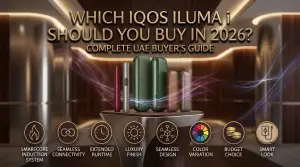
New to IQOS ILUMA i? Learn how to insert TEREA sticks correctly, start a session, understand the device’s lights and vibrations, and avoid common beginner mistakes for a smoother first use.
How Long Does a TEREA Stick Last with IQOS ILUMA i?
According to IQOS UAE, one ILUMA i experience lasts up to 6 minutes or 14 puffs, whichever comes first, including the approximately 20-second preheating period. That does not mean every user will receive exactly 14 puffs. Usage patterns can affect how the experience progresses.
What Is FlexPuff?
FlexPuff is an ILUMA i feature that can provide up to 4 additional puffs while staying within the six-minute experience duration. The extra puffs are not guaranteed. IQOS says FlexPuff activation and the number of additional puffs depend on individual usage patterns. FlexPuff also does not activate when Pause Mode is used.
How Pause Mode Works on IQOS ILUMA i
Pause Mode is one of the features that separates the ILUMA i experience from a basic heating device. On compatible ILUMA i models, Pause Mode allows you to temporarily stop an experience and resume it later. IQOS UAE states that Pause Mode can be used for up to 8 minutes. If the experience is not resumed within that period, the Holder switches off and the session ends.
How to Activate Pause Mode
- Check that Pause Mode is available on the Touch Screen.
- Swipe down across the entire Touch Screen.
- A vibration confirms that the experience has paused.
- To resume, swipe up across the entire Touch Screen.
- Wait for the device to preheat again.
- The vibration and light signal indicate when the Holder is ready.
Pause Mode is currently available on IQOS ILUMA i/Standardand IQOS ILUMA i PRIME, not ILUMA i ONE. IQOS states that it can be activated in Performance Mode during the first 3 minutes or 8 puffs of the experience. When Pause Mode is used, the experience is limited to 14 puffs, including puffs taken before and after the pause. FlexPuff does not activate during a paused experience.
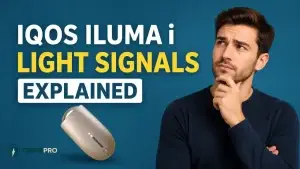
What Do the IQOS ILUMA i Signals Mean?
Understanding the signals makes the device easier to use.
| Signal or feature | What it tells you |
|---|---|
| First vibration | TEREA stick has been detected |
| Preheating animation | Device is preparing the experience |
| Second vibration | Holder is ready |
| Countdown Light | Shows remaining experience time |
| Final vibration | Last 30 seconds or last 2 puffs |
| Pause vibration | Pause Mode has been activated |
| Resume vibration | Holder is ready after reheating |
The exact light behaviour can vary by device and situation, so use the model-specific IQOS instructions if a warning or error appears.
How to Use TEREA with Different IQOS ILUMA i Models
The basic TEREA process is similar across the ILUMA i family, but the physical controls are not identical.
IQOS ILUMA i / Standard
The ILUMA i Standard uses a separate Holder and Pocket Charger. TEREA is inserted into the Holder, and heating can start automatically or through the Touch Screen. After the session, place the Holder back into the Pocket Charger so it can recharge before your next use.
IQOS ILUMA i PRIME
The ILUMA i PRIME follows the same basic TEREA sequence: Insert → preheat → second vibration → use → countdown → final signal → remove → recharge. IQOS UAE also lists Touch Screen, Pause Mode, FlexPuff, FlexBattery and AutoStart among its features. Its main difference from the standard ILUMA i is the more premium device design, while the basic TEREA heating and usage process remains similar.
IQOS ILUMA i ONE
The ILUMA i ONE uses a different physical design.
To use it:
- Turn on the device.
- Slide the cap open.
- Insert the TEREA SMARTCORE STICK to the marked line.
- Wait for the vibration and pulsing lights.
- Preheating starts automatically, or you can press the button for about one second.
- Wait for the second vibration and fixed status light.
- Use the TEREA stick.
- Remove it after the experience.
- Slide the cap closed.
IQOS describes ILUMA i ONE as having AutoStart and AutoStop. If the TEREA stick is moved or removed, the experience stops automatically. This is why an ILUMA i ONE should not be described as if it has exactly the same physical controls as the Holder-and-Pocket-Charger models.
Can You Use HEETS with IQOS ILUMA i?
No. IQOS UAE states that the ILUMA i range is designed for SMARTCORE STICKS, and there is no heating element in the device for HEETS. A simple way to remember it is:
TEREA → IQOS ILUMA / ILUMA i
HEETS → older blade-based IQOS systems
If you have moved from an older IQOS device to ILUMA i, check the stick type before inserting it.
Common TEREA and IQOS ILUMA i Mistakes
Most first-use problems come from a few simple mistakes. Knowing these before your first session can help you avoid incorrect insertion, failed starts, and unnecessary device handling.
Using the Wrong Stick
HEETS are not designed for ILUMA i. Use compatible TEREA SMARTCORE STICKS instead. If you have switched from an older blade-based IQOS device, check the stick packaging before inserting it because ILUMA i uses a different heating system.
Not Inserting TEREA to the Mark
The stick should be inserted to the line on the filter. Incorrect insertion can prevent the device from starting correctly. Insert it gently and do not force the stick if you feel unusual resistance.
Trying to Start Too Early
After insertion, wait for the preheating process to finish and the second vibration before using the stick. The second vibration indicates that the Holder is ready, so starting before this signal can interrupt the normal preparation process.
Expecting FlexPuff Every Time
FlexPuff is not guaranteed. Its activation depends on usage patterns, and it does not activate when Pause Mode is used. Think of FlexPuff as an optional feature that may provide additional puffs rather than a fixed number of puffs available in every experience.
Using the Device Outside Its Operating Range
IQOS states an operating range of 0°C to 40°C for ILUMA i. Extreme temperatures can affect whether an experience starts or continues. In the UAE, avoid leaving the device in a parked car or direct sunlight, where temperatures can become unsuitable for electronic devices.
Reusing a TEREA Stick
TEREA sticks are intended for a single experience. Remove the used stick after the session and dispose of it according to the product’s instructions. Do not try to reinsert a used TEREA stick for another experience, as it is designed for one-time use.
Still Having trouble with your IQOS ILUMA i? Learn the 10 common user mistakes that can affect device performance, from incorrect TEREA insertion and charging habits to cleaning and handling errors.
TEREA Not Heating in IQOS ILUMA i? Check These Things
If your ILUMA i does not start, work through the basics before assuming there is a device fault.
- Check the Stick: Make sure you inserted a compatible TEREA SMARTCORE STICK.
- Check the Insertion: Insert the stick up to the marked line and wait for the device vibration.
- Check the Battery: A low or depleted Holder can prevent a session from starting. Charge it in the Pocket Charger and check the battery status.
- Check the Temperature: The recommended operating range is 0°C–40°C. Move the device to a suitable environment if it has been exposed to temperatures outside that range.
- Try the Manual Start: If AutoStart does not begin the experience, IQOS says you can swipe up on the Touch Screen to manually start the experience on compatible ILUMA i models.
What If a TEREA Stick Gets Stuck or Breaks?
Do not force the stick or use an improvised object to remove a broken piece. A damaged or stuck TEREA stick needs to be handled according to the manufacturer’s safety and removal instructions. If you cannot safely remove it, the safer option is to contact IQOS support rather than trying to dismantle the Holder. This is especially important because the ILUMA system is designed around the TEREA SMARTCORE stick and its internal components.
Does IQOS ILUMA i Need Cleaning?
The ILUMA i uses the SMARTCORE INDUCTION SYSTEM rather than the heating blade used in older IQOS systems. IQOS UAE describes the ILUMA i as having no heating blade and no tobacco residue from a blade-heating system, so it does not require the same routine blade cleaning associated with older IQOS devices.
That does not mean you should ignore device care. Keep the Holder, Pocket Charger and charging contacts in good condition and follow the current IQOS care instructions if you experience charging or device-contact problems.
How Should You Store TEREA in the UAE?
The UAE climate makes basic storage habits worth considering.
Keep TEREA packs:
- Away from direct sunlight
- Away from excessive heat
- Out of hot vehicles
- In a dry, suitable indoor location
- Inside their original packaging until needed
Also avoid storing your ILUMA i in a place where it can remain exposed to temperatures outside its recommended operating range. The key point is simple: don’t leave TEREA or the device sitting in a hot car or direct UAE sun.
A Simple TEREA + IQOS ILUMA i Checklist
Before your first session, remember:
✓ Use TEREA SMARTCORE STICKS
✓ Check the battery
✓ Insert the stick to the marked line
✓ Wait for the first vibration
✓ Allow around 20 seconds for preheating
✓ Wait for the second vibration
✓ Use the TEREA stick
✓ Check the Touch Screen countdown
✓ Watch for the final vibration
✓ Remove the used stick
✓ Recharge the Holder when required
✓ Use Pause Mode only when the feature is available
This short checklist covers the full process without needing to reread the entire guide.
Frequently Asked Questions
Can I use TEREA with IQOS ILUMA i?
Yes. IQOS ILUMA i devices are designed specifically for TEREA SMARTCORE STICKS.
Can I use HEETS with IQOS ILUMA i?
No. IQOS ILUMA i is designed for SMARTCORE STICKS and does not use the heating blade required for HEETS.
How do I start TEREA on IQOS ILUMA i?
Insert the TEREA stick to the marked line. AutoStart can begin preheating automatically, or you can swipe up on the Touch Screen to start it manually.
How long does an ILUMA i TEREA session last?
Each experience lasts up to 6 minutes or 14 puffs, whichever comes first. This includes approximately 20 seconds of preheating.
What does the second vibration mean?
The second vibration indicates that the Holder has finished preheating and is ready to use.
What does the ILUMA i countdown show?
The Countdown Light on the Touch Screen indicates the remaining time in the experience.
Can I pause an IQOS ILUMA i session?
Pause Mode is available on compatible ILUMA i devices under specific conditions. It can pause an experience for up to 8 minutes, after which the Holder switches off if the session is not resumed.
Does FlexPuff always give four extra puffs?
No. IQOS says FlexPuff may provide up to four additional puffs, but activation and the number of extra puffs depend on individual usage patterns. It does not activate when Pause Mode is used.
Why is my TEREA not heating?
First check that you are using a compatible TEREA SMARTCORE STICK, that it is inserted to the marked line, that the Holder has enough battery, and that the device is within its 0°C–40°C operating range.
Can I reuse a TEREA stick?
No. Remove the used TEREA stick after the experience and dispose of it according to the product safety instructions.
Is IQOS ILUMA i suitable for use by everyone?
No. IQOS states that its products are not risk-free and contain nicotine, which is addictive. They are intended only for adults who would otherwise smoke or use nicotine products. UAE law prohibits the sale of tobacco products to people under 18.
Conclusion
Using TEREA with IQOS ILUMA i comes down to a short sequence: Insert TEREA → wait for preheating → second vibration → use → follow the countdown → remove the used stick. The ILUMA i adds features such as AutoStart, Touch Screen controls, Pause Mode and FlexPuff, but they work under specific conditions. Understanding those conditions is more useful than simply knowing how to insert a TEREA stick. For UAE users, the most important points are to use the correct TEREA SMARTCORE STICK, keep the device within its recommended temperature range, and follow the model-specific instructions if a warning or error appears.
Important: IQOS and TEREA products contain nicotine and are not risk-free. They are intended only for adults who would otherwise smoke or use nicotine products.