
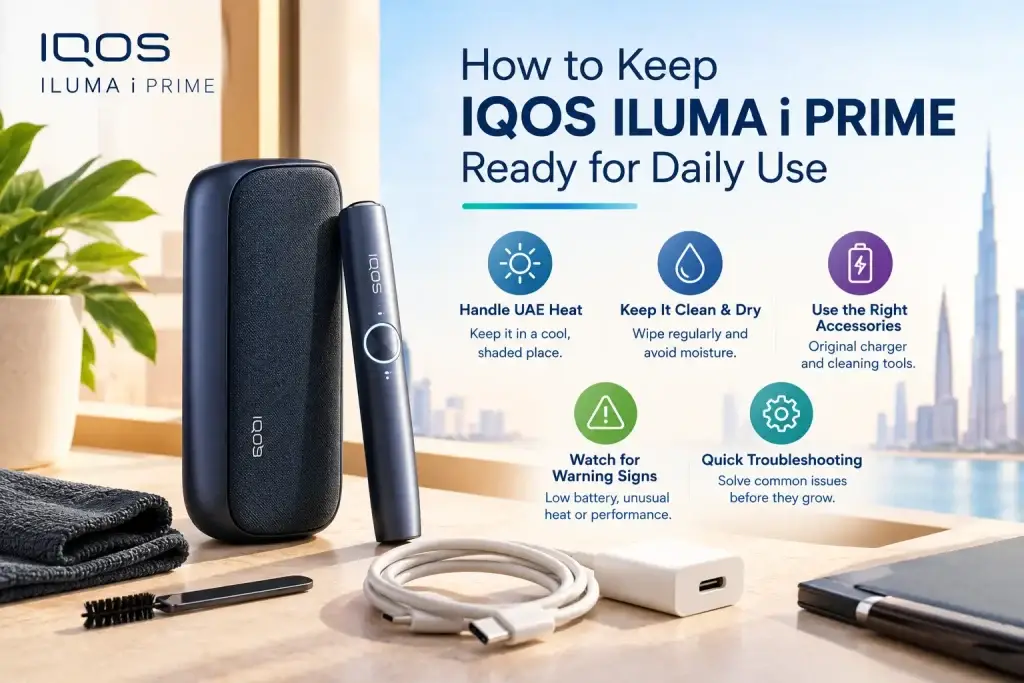
An IQOS ILUMA i Prime is ready for daily use when the Pocket Charger has enough battery, the Holder is charged and seated in it, and the device is kept away from heat and liquid. IQOS UAE advises charging the Pocket Charger every day, and that one habit prevents most flat-Holder surprises. In the UAE, heat adds another factor. Summer air temperatures regularly pass 40°C, the top of the operating range IQOS gives for ILUMA i devices, and the device often travels in cars and bags. This guide covers the daily routine in the order you would use it.
What Does Ready for Daily Use Mean?
The Pocket Charger and the Holder each have their own battery, and the Pocket Charger recharges the Holder whenever it sits inside. Two dashes on the Touch Screen mean up to three experiences. A full Holder with an empty Pocket Charger cannot recharge later, so check both.
| Area | “Ready” looks like | How to check |
|---|---|---|
| Pocket Charger | All 4 lights solid white | Press and release the button |
| Holder | Charged and responding | Touch Screen dashes |
| Condition | Clean, dry, undamaged | Quick look |
| Accessories | Approved adaptor and cable | Inspect cable ends |
| Storage | Cool, dry, out of sun | Where you left it |
Start the Day With a Charged IQOS ILUMA i Prime
Charge the Pocket Charger daily
IQOS UAE’s usage tips say to charge the Pocket Charger every day with a compatible adaptor and cable. A full charge takes about 135 minutes, so plugging in the night before is easier than squeezing it in before leaving. You start the morning with a full Pocket Charger and a Holder that has topped itself up inside it.
Reading the Pocket Charger lights
Press and release the button to see the charge level. While charging, the strip lights pulse, and a fully charged Pocket Charger shows four solid white lights. If the battery was completely flat, the first light may take a few seconds to blink yellow and turns white once charge passes 7%. After long inactivity, charging lights may not appear for up to 10 minutes, which IQOS describes as normal.
How the Holder charges
The Holder charges when it sits in the Pocket Charger with the wrap closed and the device on. A full Holder charge needs the Pocket Charger to show at least one solid white light. Leave the Holder in until its two lights on the Pocket Charger turn solid white.
Check the Holder Before You Leave
The five-second check
- Charge: two dashes mean up to three experiences, one dash means up to two.
- Seating: the Holder sits fully in the Pocket Charger and the wrap closes.
- Power: the device is on (hold the ON/OFF button for 4 seconds to switch it).
- Lights: the Pocket Charger lights show a charge you are happy with.
- Contacts: no visible lint or residue where the Holder meets the Pocket Charger.
When the Holder will not start
The Holder may be discharged, the device may be locked in the IQOS App, or AutoStart may be off, in which case you swipe up on the Touch Screen to start manually, or one not fully inserted, has the same effect. For what each color on the device means, see our guide to IQOS ILUMA i light signals.
Keep the Charging Contacts and USB Port Free From Dust
Why small debris matters
Charging depends on clean contact points. Lint, dust and fine sand, all common in UAE bags and cars, can sit on the contacts or inside the USB port and interfere with charging. The usual result is slow charging or a Holder that does not top up. The IQOS user guide recommends checking the USB port periodically for foreign material.
A light-touch routine
Once a week, look into the port and at the contacts under a bright light. If you see lint, wipe the outside with a dry, soft cloth and keep the cable ends clean. This is not a deep clean, and the ILUMA i Prime does not need the blade cleaning older IQOS models required.
What not to use
IQOS advises against cleaning agents, so skip sprays, wet wipes and water. Do not push pins or metal tools into the USB port or stick opening. If debris stays stuck or charging stays poor, that is a support question.
Protect IQOS ILUMA i Prime From UAE Heat
Know the 40°C limit
IQOS UAE states an operating range of 0°C to 40°C for ILUMA i devices. Outside it, an experience can be interrupted or fail to start. The user guide also warns against using, charging or storing the device in high-temperature places, with a car in summer as its example. In the UAE the upper limit is reached routinely between June and September.
Hot cars, sun and other heat traps
A parked car heats well beyond the outside air, so a dashboard, seat or glove box can pass 40°C quickly. A short stop at a petrol station is usually fine, but an afternoon parked outside a mall is not. Take the device with you or keep it somewhere shaded you control.
| Situation | Risk | Better habit |
|---|---|---|
| Parked car | Cabin heat above 40°C | Carry it with you |
| Dashboard or sunny window | Direct sun heats the casing | Keep it in a bag |
| Charging outdoors | Heat while charging | Charge indoors, in shade |
| Beach or pool bag | Sun plus moisture | Zip it in an inner pocket |
If it has already overheated
Stop using and charging it, move it somewhere cool and shaded, and give it time. Do not charge it until it feels normal to the touch. If it overheats again in ordinary conditions, or you see swelling or leakage, contact IQOS support.
Keep the Device Dry While Carrying It
What counts as exposure
- The IQOS user guide says the Pocket Charger, Holder, cable and adaptor should not be exposed to liquid.
- That includes obvious spills and less obvious sources such as sunscreen, perfume and hand sanitizer.
- If a device has been soaked, do not charge or use it, and contact IQOS support.
Bags and pockets
- Give the device its own compartment, away from bottles and toiletries.
- Keep coins and keys apart, since they can scratch the casing.
- Stepping from a cold car into humid air can leave condensation on the surface, so wipe it dry before charging.
Before charging
- Check that the USB port, cable ends and device surface are dry.
- Charge indoors on a dry surface with an approved cable and adaptor.
- If the area is damp, wait until it is fully dry.
Use the Right TEREA Stick With Your IQOS ILUMA i Prime
The ILUMA i Prime is designed for TEREA SMARTCORE STICKS only. IQOS warns against using ILUMA devices and TEREA sticks with earlier IQOS generations, as this can damage the device. You can browse the TEREA range by origin. Insert the stick up to the filter line until the Holder vibrates. With AutoStart on, preheating begins by itself and the device is ready after the second vibration.
Prime Features That Affect Your Daily Readiness
The ILUMA i Prime differs from simpler ILUMA i models in a few ways that matter for daily care. Its Touch Screen shows charge and preheating status, and it supports Pause Mode and FlexPuff. By connecting it to the IQOS App, you can switch smart features on or off, adjust screen brightness and choose the Holder’s battery mode. If the Holder will not start, the App is also where you check that Device Lock is off and AutoStart is on.
If you are still deciding, the IQOS ILUMA i Prime range includes finishes such as Midnight Black and Breeze Blue. Care is the same whatever the color.
Store Your IQOS ILUMA i Prime Properly Between Uses
- Keep it in a clean, dry, shaded spot indoors, away from bathrooms and sinks.
- Leave the Holder in the Pocket Charger with the wrap closed, so it recharges and is protected from drops.
- Store TEREA packs separately, out of children’s reach, as the sticks contain a sharp metal part. See how to store TEREA in UAE heat.
- After a long break, check for visible damage and charge it first. A fully depleted battery may show no lights for up to 10 minutes.
A Simple Daily IQOS ILUMA i Prime Routine
Morning
- Check the Pocket Charger battery.
- Check the Holder status.
- Make sure the device is clean and dry.
During the day
- Return the Holder to the Pocket Charger after use.
- Avoid leaving the device in excessive heat.
- Use a fresh TEREA stick for each experience.
Evening
- Put the Holder back in the Pocket Charger.
- Charge the Pocket Charger if needed.
- Store the device somewhere cool, dry and safe.
What to Check When IQOS ILUMA i Prime Is Not Ready
Pocket Charger has little or no charge
Check the cable is firmly seated at both ends and that you are using an approved cable and adaptor. Try another wall outlet. Watch the lights, which pulse while charging. If the battery was fully flat, allow up to 10 minutes for lights to appear before assuming it is dead.
Holder is not charging properly
Seat the Holder again and close the wrap. Confirm the Pocket Charger has at least one solid white light, since an empty one cannot charge the Holder. Check the contacts and USB port for lint, and wipe the outside with a dry cloth.
Device feels too hot
Stop using and charging it. Move it somewhere cool and shaded and wait until it is back within its operating temperature. If it overheats again in normal conditions, treat it as a fault. Our list of common IQOS ILUMA i user mistakes covers habits behind many of these problems.
When Should You Get IQOS Support?
Signs that daily care is not enough
Contact IQOS if charging problems continue after the checks above, if the device repeatedly fails to charge, or if it has been exposed to liquid. The same applies to physical damage and abnormal behavior, such as shutting off unexpectedly. IQOS advises stopping use if you notice a malfunction.
What not to do yourself
According to IQOS documentation, the device has no user-serviceable parts. Do not open, modify, disassemble or repair it. A lithium battery inside makes that a real safety risk.
Where to go in the UAE
IQOS UAE provides a contact page, a store locator and a warranty page. Check warranty terms first, and mention any heat or liquid exposure when you describe the problem.
FAQs
Should I charge my IQOS ILUMA i Prime every day?
Yes. IQOS UAE recommends charging the Pocket Charger daily with a compatible adaptor and cable.
How long does IQOS ILUMA i Prime take to fully charge?
About 135 minutes for a full Pocket Charger charge, according to IQOS UAE.
Can I leave IQOS ILUMA i Prime in a hot car?
No. IQOS gives an operating range of 0°C to 40°C and warns against using, charging or storing the device in high-temperature places, including a car in summer.
How do I keep the Holder ready for the next use?
Return it to the Pocket Charger after each experience, and make sure the Pocket Charger shows at least one solid white light.
What should I do if the Holder is not charging?
Seat it again, check the Pocket Charger has charge, and look for lint on the contacts and USB port. If it still will not charge, contact IQOS support.
Can I clean IQOS ILUMA i Prime with a cleaning solution?
No. IQOS advises against cleaning agents and liquid exposure. Use a dry, soft cloth on the outside.
Conclusion
Keeping an IQOS ILUMA i Prime ready for daily use takes a consistent routine, not effort. Charge the Pocket Charger daily, check the Holder before you leave, and keep the device clear of heat, liquid and dust. In the UAE, the biggest single improvement is not leaving it in a hot car.
IQOS and TEREA products contain nicotine, which is addictive, and are not risk-free. They are for adults aged 18 and over who would otherwise smoke or use nicotine products.